Mobile apps are ruling our daily lives. We need apps for almost everything, right from alarms to keep our steps in check. So, when there is a lot of demand and consumption of such apps you must keep secure apps in front. In such a scenario, the prototyping of the mobile app comes to your rescue. So, to streamline prototypes you must select the best mobile app prototyping tools for you. If you want to know which to choose, let’s dive in.
What are mobile app prototyping tools?
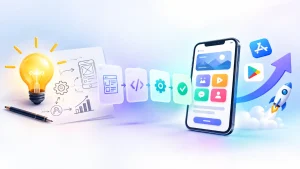
In today’s digital-first world, mobile apps have become indispensable. Whether it’s for productivity or communication, the a demand for user-friendly apps. However, building a successful app isn’t just about coding. It begins with complete planning and prototyping of your business app. So, the prototyping can help to make the interactive architecture of the app. These are software solutions that allow designers to create visuals of app ideas. So, you can include the UI, interactions, and workflows.
Here are the basic types of different prototypes:
Low-fidelity prototypes
Low-fidelity prototypes are simple representations, often resembling wireframes. They focus on the overall structure and user flow rather than intricate details. Ideal for brainstorming, they lack interactive elements and offer to communicate concepts.
High-fidelity prototypes
High-fidelity prototypes closely mimic the final app, including detailed UI elements. These prototypes are crucial for realistic user testing and for conveying a clear vision. Also, it needs more time and effort to create but significantly reduce uncertainties.
Why are mobile app prototyping tools essential?
Here are some reasons to choose these prototyping tools.
- Early idea validation: Prototyping tools help teams turn abstract ideas into tangible designs. Stakeholders can visualize the app’s potential and input before committing resources.
- Enhances collaboration: These tools enable cross-functional teams to collaborate in real time. Everyone can contribute to refining the mobile app development roadmap.
- Cost & time efficiency: Detecting and resolving design flaws early prevents expensive fixes.
- Improved user experience: By testing prototypes, teams can identify and address usability issues. Also, it ensures a user-centric final product.
Key features to look for in mobile app prototyping tools
Let’s look at the key features offered by the prototyping tools.

- Drag-and-drop interface: Simplifies the design process and increases the accessibility for the newbie designers.
- Device-specific templates: Offers pre-built templates for various screen sizes and resolutions.
- Interactive gestures: Enables simulation of user interactions like swipes, taps, and pinches.
- Real-time collaboration: Allows team members to work and provide instant feedback.
- Multi-platform previews: Ensures prototypes are responsive across iOS, Android, and other platforms.
Top 11 mobile app prototyping tools for B2B businesses
Here are the best app prototype designing tools you can use.

Figma
Figma is a designer favorite due to its intuitive interface and advanced capabilities. It’s perfect for creating interactive, design-first mobile app prototypes. With its user flows, animations, and interaction design Figma brings your concepts to life. The businesses can also integrate conditional logic to make prototypes to be like other apps. Then, your Figma designs get imported into other platforms to enhance functionality.
Sketch
Sketch is one of the vector-based design mobile app prototyping tools. Its precision and ease of use make it a favorite among designers for prototypes. With features like customizable grids, Sketch allows teams to build high-fidelity prototypes.
Bubble
There is another no-code platform that allows users to create everything from basic prototypes. Unlike traditional tools, Bubble enables you to transform your prototype into an MVP. Its dynamic containers, visual library elements, and seamless backend workflows. With Bubble, enterprises save time and resources by eliminating the need for handoff tools.
Glide
Glide simplifies prototyping by using internal datasets to create functional prototypes quickly. While it’s best suited for web apps for mobiles, workflows, integrations, and databases. Plus, it makes it a practical choice for testing ideas without coding. Glide’s limitation lies in its inability to publish apps directly to app stores. And makes it more suitable for internal use and testing.
Adobe XD
Adobe XD stands out for its user-friendly interface and robust set of features. It’s an excellent tool for building prototypes with interactive elements and animations. The Responsive Resize feature allows designers to test their apps on different devices in real time. Adobe XD’s integration with mobile app prototyping tools offers an incredible experience. Plus, it makes it a great choice for teams already in the Adobe ecosystem.
Justinmind
Another tool that focuses on creating advanced prototypes with an emphasis on functionality. Its vast library of gestures allows teams to concentrate on features. Justinmind also supports conditions and emulators to make prototypes feel close to the final product.
Balsamiq
Now, its strength lies in its simplicity. This tool is perfect for early-stage brainstorming, offering low-fidelity wireframes. With pre-built UI elements and a zero-learning curve, it turns sketches into digital designs. Moreover, it becomes easy to share and collaborate. And used to map out user interfaces and product flows.
ProtoPie
ProtoPie is among the best mobile app prototyping tools for high-fidelity prototyping. It offers dynamic interactions, conditionals, and native integration. These features make enterprise application modernization prototypes highly realistic. Prototypes are easily shared via custom links and viewed across multiple devices. Plus, it ensures seamless feedback collection from stakeholders and end users.
Mockplus
Mockplus accelerates the design process with its extensive set of templates and widgets. It’s designed for rapid prototyping, enabling teams to create prototypes. Advanced animations and flowchart capabilities to visualize user journeys.
Framer
Framer is a versatile prototyping tool that simplifies the creation of transitions. Its library of pre-built components makes it accessible by offering advanced capabilities. Framer’s Magic Motion feature ensures transitions to enhance the user experience.
Proto.io
Lastly, Proto.io as the mobile app prototyping tool makes it easy to add physical interactions to prototypes without coding. Its drag-and-drop interface, extensive animations, and pre-built touch events. Prototypes can be shared with team members and stakeholders for feedback.

How to choose the right tool for your needs?
Let’s see what points you must check for using the free mobile app prototyping tools.
- Project goals: Are you creating an early-stage wireframe or a fully interactive prototype? Match the tool to the project’s complexity.
- Team collaboration: Opt for tools that support real-time collaboration if multiple stakeholders are involved.
- Budget constraints: Some tools offer robust free plans, while others charge based on features.
- Learning curve: Choose a tool that aligns with your team’s technical expertise.
Conclusion:
Mobile app prototyping tools are indispensable for turning concepts into reality. They bridge the gap between ideas and implementation to meet user expectations. Or you can consult a mobile app development company for more assistance.
FAQs
1. Why does app development need prototyping?
The iteration nature of prototyping facilitates improving the functionality, user interface, and overall experience from the user’s end for the app. This would result in the application functioning better with each passing iteration and feedback loop so that the final output would be in consonance with the necessities of the target users and fulfill their expectations.
2. What does creating an app prototype cost?
While complex apps may range from $20,000 to $50,000 or even more, an average app prototype is simple and ranges from $5,000 to $15,000.
3. Why does prototyping take place in app development?
Prototyping is an iterative process that helps to enhance the functionality, user interfaces, and overall user experience of the app. With each loop of feedback, the performance of the app increases, and the final product gets closer to the target consumers’ expectations.
4. What are the benefits of prototyping for developers?
Prototyping allows you to create simple, low-fidelity prototypes of your products. This helps you to track, record, and measure user performance levels and general behavior and reactions of users towards the overall design. Then, designers can make the necessary changes or modifications to get things moving in the right direction.
5. How long does it take to prototype an app?
Often created with a goal of testing just the main features or capabilities in one or two user roles, a prototype does not require much perfection and high expectations. A clickable prototype is done in about a week.